
Diecast Guides
How to Catalog a Diecast Collection: Compare Your Options
Nov
The best way to catalogue a diecast collection is to create a consistent record for every model, assign it a unique collection ID and label its photographs with the same ID. If you’re deciding how to catalogue a diecast collection, a spreadsheet or app makes records easy to search, while a notebook offers a straightforward paper-based option. Choose the method that suits how you like to organise and browse your collection.
Every new model brings details to remember, from its scale and manufacturer to its condition, box and purchase notes. A clear catalogue keeps this information together, so you can find a particular casting without relying on memory.
This guide compares six cataloguing options and explains what details to record, how to photograph your models, and how to label images so they stay linked to the right entry. You’ll finish with a practical way to choose a method that suits your collecting habits, whether you’re just getting organised or refining a well-loved collection.
Key Takeaways
- Choose a catalogue format that suits how you like to search, update and browse your models.
- Capture clear photographs that show each model’s identifying features and condition.
- Use consistent records and image labels to keep every model easy to find.
- Decide which details matter most to you before building a catalogue you’ll enjoy maintaining.
Choosing between spreadsheets, apps, databases and notebooks
The best way to organise a diecast collection is to give each model a consistent record, then group models by make, manufacturer or colour. Store physical models in cabinets or display cases, away from direct sunlight and moisture. Choose a catalogue you can update whenever you acquire a model, rather than one that becomes difficult to maintain.
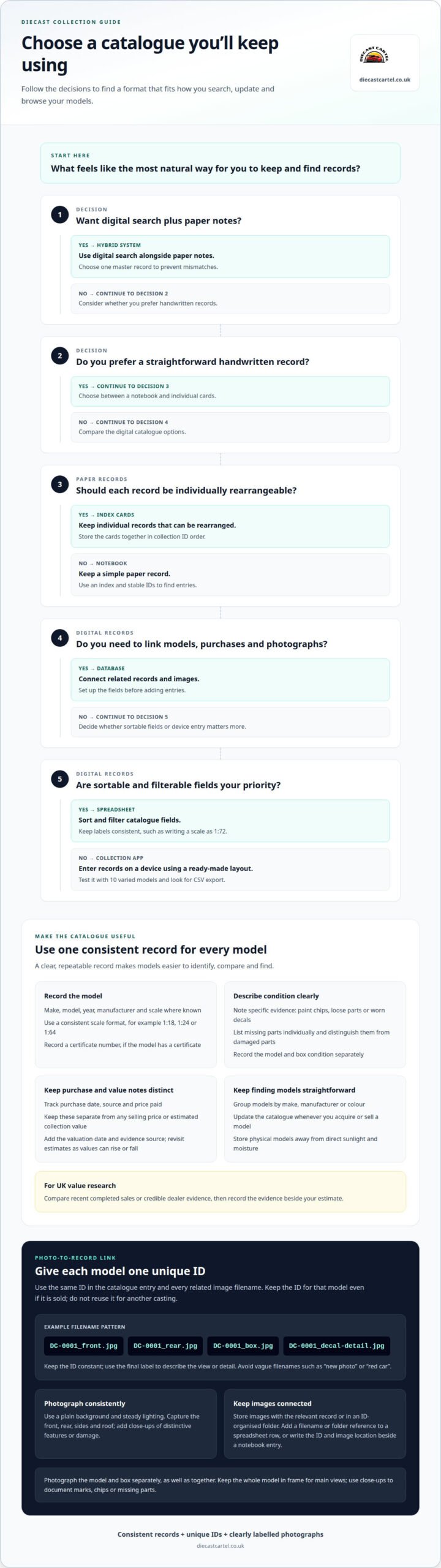
When deciding how to catalogue a diecast collection, consider how you prefer to search, update and browse records. A spreadsheet suits collectors who want sortable columns; a database can connect models, purchases and photographs. Apps may provide a ready-made layout, while a notebook offers a simple paper record.
| Option | Best for | Consider |
|---|---|---|
| Spreadsheet | Sorting and filtering fields | Keep labels consistent, such as 1:72 |
| Collection app | Entering records on a device | Test with 10 varied models; look for CSV export |
| Database | Linking records and images | Set up fields before adding entries |
| Notebook | Handwritten notes | Use an index and stable IDs |
| Index cards | Individual, rearrangeable records | Store cards together in ID order |
| Hybrid system | Digital search plus paper notes | Choose one master record to prevent mismatches |
Choose the system that makes finding and updating a model easiest. For a scale, consider display space, your preferred level of detail and the models you collect. Record the actual scale consistently, such as 1:18, 1:24 or 1:64. A practical approach to how to catalogue a diecast collection starts with a format you’ll keep using.
To research current values in the UK, compare recent completed sales or credible dealer evidence. Record the evidence beside your estimate.
Track the purchase date, source and price paid separately from any selling price or estimated collection value. Add the valuation date and evidence source, and record the model’s condition separately from the box where relevant. Update records when you acquire or sell a model, and revisit estimates because values can rise or fall.
Photographing models and identifying details
Use photographs to make each entry easy to recognise, then record details the camera can’t reliably show. A consistent approach makes it easier to compare castings and condition.
Model photographs
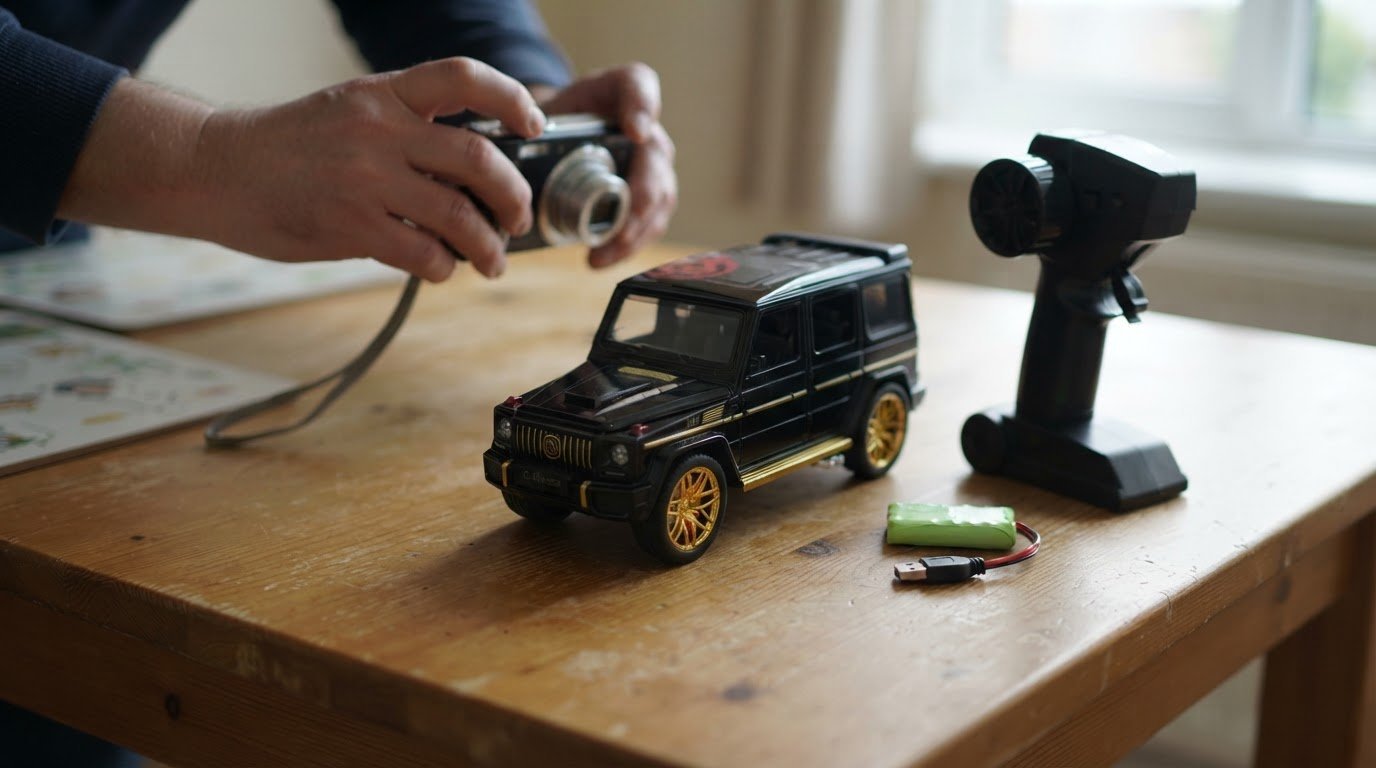
Photographs show a model’s appearance and distinguishing features, while written records capture identifying information. Use a plain background and steady lighting to show paint colour, decals and wheel details clearly. Photograph the front, rear, sides and roof, then add close-ups of distinctive features such as a racing number or unusual trim.
- Keep the whole model in frame for each main view.
- Use close-ups to document marks, chips or missing parts.
- Include the box beside the model when packaging matters to your record.
Photograph the model and its box separately, as well as together. This helps show whether a mark is on the vehicle or its packaging, and records the box’s condition without obscuring the casting.
Recorded model information
Pair each set of images with written notes, since a photograph alone may not reveal the manufacturer, series or scale. Record the make, model, year, manufacturer and scale where known. Describe condition in plain terms, noting specific evidence such as a paint chip, loose part or worn decal rather than relying on a broad label such as “good”.
Record the model and its packaging separately. For example, write “model: paint chip on bonnet” and “box: creased corner”. List missing parts individually, such as a mirror or accessory, and distinguish them from parts that are present but damaged. If the model has a certificate, record its number alongside the other details.
Use the same order for each entry so condition notes are easy to compare. A short description such as “right door mirror absent” is clearer than “incomplete”. Keep observations factual, and don’t present an assumption about a model’s history as confirmed information.
Photographing models and labelling images
A photograph is useful only if you can match it to the right model record. Give each physical model a unique collection ID, then include that ID in every related image filename.
Use a consistent naming pattern, such as DC-0001_front.jpg, DC-0001_rear.jpg and DC-0001_box.jpg. The ID stays constant; the final word describes the view. This keeps images grouped alphabetically and makes each angle clear without opening every file.
- Assign a unique ID to the model’s catalogue entry.
- Copy that ID into each image filename, keeping its spelling and punctuation consistent.
- Add a short view label, such as front, side, underside or packaging.
- Save the images in a folder that reflects your catalogue structure.
Keep the file label descriptive but concise. For a model with a damaged decal, use a name such as DC-0001_decal-detail.jpg. That identifies the model and explains why the close-up matters. Avoid relying on filenames such as “new photo” or “red car”, which can become ambiguous as your collection grows.
Store image files beside the relevant catalogue record, or use a dedicated image folder with the same ID structure. In a spreadsheet, include a filename or folder reference in each model’s row. In a notebook, write the ID and image location beside the entry. This keeps the connection between each physical casting and its digital record clear.
If a model is sold, retain its old ID in your records rather than assigning it to another casting. Reusing an ID can attach an old photograph to the wrong model. Mark the record as sold and keep its images associated with that entry. For example, DC-0001 remains the identifier for its original model, even after it leaves your collection.
Before completing an entry, check the catalogue ID against every filename. This final check catches misplaced images before they cause confusion.
What information should I record for each diecast model in a collection?
Build each catalogue entry around details that identify the casting, describe its condition and explain its place in your collection. Use the same fields for every model, even when a detail such as a serial number doesn’t apply.
- Identity: record make, model name, year, manufacturer, series and scale.
- Distinctive details: note colour scheme, wheel type, casting material and special features.
- Edition details: where applicable, record limited-edition size and certificate number.
- Condition: describe the model and its box separately, with specific observations.
- Acquisition: include purchase date, source and price paid; add postage or buyer’s premium where useful.
- Valuation: note your estimate, its date and the evidence behind it.
- Personal notes: add extra details that help distinguish this casting from similar models.
Consistent labels make records easier to sort. Choose one scale format, such as 1:72, and use it throughout rather than mixing “1:72”, “1/72” and “72nd scale”. Give each physical model its own collection ID, too. Keep that identifier with its catalogue entry and photographs, even if the model later leaves your collection.
Separate condition facts from interpretation. “Paint chip on bonnet” describes an observable mark; “poor condition” gives less useful detail. For packaging, note a crushed corner or torn window independently from the model. If a limited edition includes a certificate, its number helps distinguish that individual record from another example in the same series.
Keep purchase figures separate from valuation estimates. A purchase record shows what you paid; a dated estimate records your view of the current value. Add the evidence source beside the estimate, such as a recent completed sale or credible dealer evidence. Asking prices alone don’t show what buyers paid.
Use these fields to catalogue 1:18 and 1:24 scale diecast models with records that are clear, consistent and useful as your collection develops.
Diecast Cartel
Diecast Cartel gives collectors a place to discover models that can become the next entries in a carefully organised collection. Its range includes diecast cars, trucks and tractors, alongside remote control vehicles, so you can explore different corners of the hobby as your interests develop.
As you add a model, give it a unique catalogue ID and record its make, scale, condition and acquisition details. That simple habit connects the enjoyment of finding a new casting with a useful record you can return to later. Whether you collect 1:18 scale model cars, 1:24 scale diecast models and trucks, or a mix of subjects, choose the details that help you recognise and appreciate each piece.
Ready to discuss your collecting interests? Contact Diecast Cartel.
Make your catalogue part of the collecting journey
A catalogue can become more than an inventory. Over time, it can show how your interests have shifted, which castings mean the most to you and the stories behind memorable acquisitions. Let it reflect your collecting priorities instead of trying to make every entry exhaustive.
If you’re considering how to catalogue a diecast collection, choose a method you’ll enjoy using. Add entries at a pace that works for you, and let the record grow alongside your collection. A useful catalogue should support the pleasure of collecting, not make every new model a chore.
Your next addition could be a chance to explore a different corner of the hobby. For ideas and models to add to your collection, explore Diecast Cartel’s range. Keep collecting in the way that feels right for you, and let each carefully recorded model become part of your collection’s story.
Frequently Asked Questions
Quick Answer: What Is the Best Way to Catalogue a Diecast Collection?
Use one catalogue you can search and update consistently, with a unique record for every model. A digital spreadsheet suits collectors who want flexible sorting; a notebook works well for handwritten notes. Whichever you choose, keep the structure manageable and record each physical casting separately, even when two models look almost identical.
Should I keep the original box?
Keep the original box if you have space, and record its condition separately from the model’s. Packaging can help identify a casting’s series or colour variant when the model has few markings. If you store a box apart from its vehicle, write the collection ID inside or on a removable label to keep the pairing clear.
How do I identify a diecast car’s make, model, scale, series and release year?
Start with markings on the base, packaging and certificate, then compare them with reliable manufacturer or series references. A baseplate may name a maker or scale, whilst packaging can identify a series or release. Keep the vehicle’s represented year separate from its release year; a model depicting a 1960s car may have been issued much later.
What apps or software are best for cataloguing a diecast collection?
The best tool is one that suits your preferred way of searching and keeps records accessible. Before committing, consider whether it can store photographs, search across several fields and export records for backup. Don’t choose an app based on its name alone: a clear entry structure and dependable access matter more than a long feature list.
How can I create a diecast collection spreadsheet template?
Create a header row with one column per detail, then enter each model on its own row. Useful headings include collection ID, make, model, scale, series, represented year, release year and notes. Add drop-down choices for recurring fields such as condition or manufacturer, and test the layout with a few different castings before completing it.
How should I photograph and label diecast models for an inventory?
Use a plain background and even lighting, and keep the camera position consistent for comparable views. Add a close-up when a casting has a distinctive mark, variant detail or visible damage. Include the collection ID in each filename, then check that the images open beside the matching catalogue entry before moving or reorganising folders.
